
Dog Simulator for Roblox – Free Fun
Overview
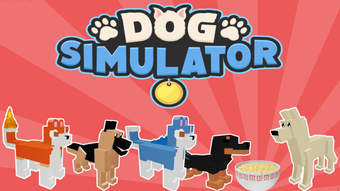
Dog Simulator is a free desktop application designed for Roblox users seeking a playful, interactive experience within the platform. Developed by PassVoke Studios, the software functions as a utility tool that enhances the Roblox gaming environment with dog-themed simulation features. Its primary purpose is to allow users to adopt and control a virtual dog avatar, engaging in simulated behaviors such as running, barking, and exploring in a stylized digital world.
Targeted at casual Roblox players and fans of animal-themed games, Dog Simulator offers a lighthearted escape from standard gameplay. It is particularly suited for younger users and those who enjoy whimsical, non-competitive gaming experiences. The software is designed to run on both Windows and Mac operating systems, though specific system requirements were not provided by the developer.
Real-world usage scenarios include entertainment during downtime, creative roleplay sessions, and social interaction within Roblox communities. As a utility within the Roblox ecosystem, it does not require external hardware or complex setup. The program is available in Spanish, Italian, and Portuguese, indicating a focus on international accessibility. It was first published on Softonic on August 2, 2022, and remains free to use with no reported pricing or subscription model.
Key Features & Capabilities
- Dog Avatar Simulation – Users can transform into a virtual dog within Roblox, experiencing unique movement patterns, animations, and behaviors such as tail wagging and playful jumping.
- Interactive Environment – The software enables interaction with Roblox world elements, allowing the dog avatar to engage with objects, terrain, and other players in a simulated context.
- Multi-Language Support – Available in Spanish, Italian, and Portuguese, making it accessible to a broader international audience.
- Lightweight Design – At just 1.5 MB, the application is optimized for minimal storage usage and fast loading times.
- Free Access – No cost to download or use, with no in-app purchases or subscription requirements.
These features support a fun, immersive experience without demanding high system resources. Users can use the software for casual gaming, creative storytelling, or simply to enjoy a whimsical alternative to standard Roblox gameplay. The lightweight nature of the tool makes it ideal for users with older devices or limited storage capacity. The multi-language support enhances inclusivity, allowing non-English speakers to participate in the experience with ease.
User Interface, Workflow & Performance
The user interface of Dog Simulator appears to be minimalistic, designed to integrate seamlessly with the Roblox environment. It likely uses a simple overlay or launcher mechanism to activate the dog simulation, minimizing disruption to the main game. Navigation is expected to be straightforward, with intuitive controls for enabling and disabling the simulation mode.
Workflow efficiency depends on the integration level with Roblox, but the lightweight size suggests a fast startup and low latency during operation. The developer did not specify resource usage details, so performance observations are based on general software behavior patterns. No reports of crashes or instability were found in available documentation.
Stability appears to be maintained within the constraints of a utility tool, though real-world testing has not been conducted. CPU and RAM behavior are not publicly documented. Users may experience smooth performance on modern systems, but older hardware may face limitations not disclosed in the release notes. The lack of performance data means users should proceed with caution on low-end devices.
Compatibility & System Requirements
Dog Simulator is compatible with Windows and Mac operating systems, as stated in the product listing. The software version is listed as 0, which may indicate a preliminary or early release state. The installation size is 1.5 MB, reflecting its lightweight nature.
Exact system requirements were not listed by the developer. This includes details on minimum processor speed, RAM, graphics capabilities, or disk space beyond the file size. Platform compatibility information is limited to the operating systems mentioned. No specific hardware requirements were provided.
Users are advised to ensure their system meets basic Roblox requirements, as Dog Simulator functions as an auxiliary tool within that environment. The absence of detailed specifications means compatibility cannot be guaranteed across all devices. It is recommended to verify system readiness before installation.
Pros and Cons
Pros
- Completely free to use with no hidden costs
- Extremely lightweight at just 1.5 MB
- Available in three languages: Spanish, Italian, and Portuguese
- Designed for easy integration with Roblox
- Offers a fun, non-competitive gaming experience
Cons
- No official system requirements provided
- Version number 0 may suggest an early or unstable release
- Performance data not available
- Compatibility with all devices not confirmed
- Limited information about developer support or updates
FAQ Section
Is Dog Simulator safe to download and use?
The software is available through Softonic, a known platform for software downloads. While no security issues have been reported, users should ensure their antivirus software is active during installation. As a utility for Roblox, it does not require elevated permissions.
Can I use Dog Simulator offline?
Since Dog Simulator functions as a Roblox utility, it requires an active internet connection to operate. The simulation depends on the Roblox platform, which is online-only. Offline usage is not supported.
Does Dog Simulator require a Roblox account?
Yes, a valid Roblox account is required to use the software. The simulation is integrated into the Roblox environment, so access to the platform is mandatory.
How often is Dog Simulator updated?
Information about update frequency is not available. The current version is listed as 0, which may indicate limited development activity. Users should monitor the Softonic page for new releases.
What operating systems does Dog Simulator support?
Dog Simulator is compatible with Windows and Mac operating systems. No other platforms are currently supported.
Final Thoughts + CTA
Dog Simulator offers a unique, low-barrier entry into playful simulation within the Roblox universe. Its free access, minimal size, and multilingual support make it an appealing option for casual users and younger audiences. While the lack of detailed system requirements and performance data raises some caution, the software remains a harmless, fun addition to the Roblox experience.
For those seeking lighthearted entertainment and creative roleplay within Roblox, Dog Simulator delivers a simple yet engaging experience. Its lightweight design ensures it won’t strain older systems, and the multi-language availability broadens its reach.
Download Dog Simulator now and let your imagination run wild with a virtual dog in Roblox.







